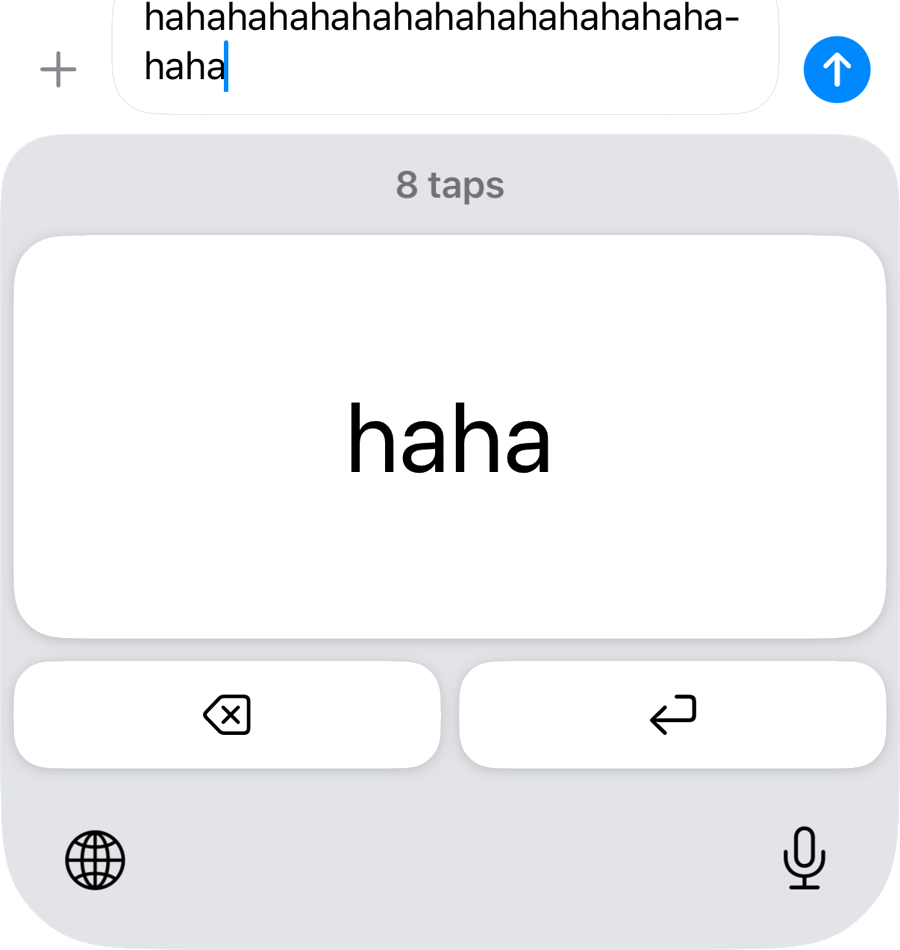
Laugh for as long as you hold
“haha”
Hold the key and the same word keeps piling up, and however you hit it, the only thing that goes in is the word you chose
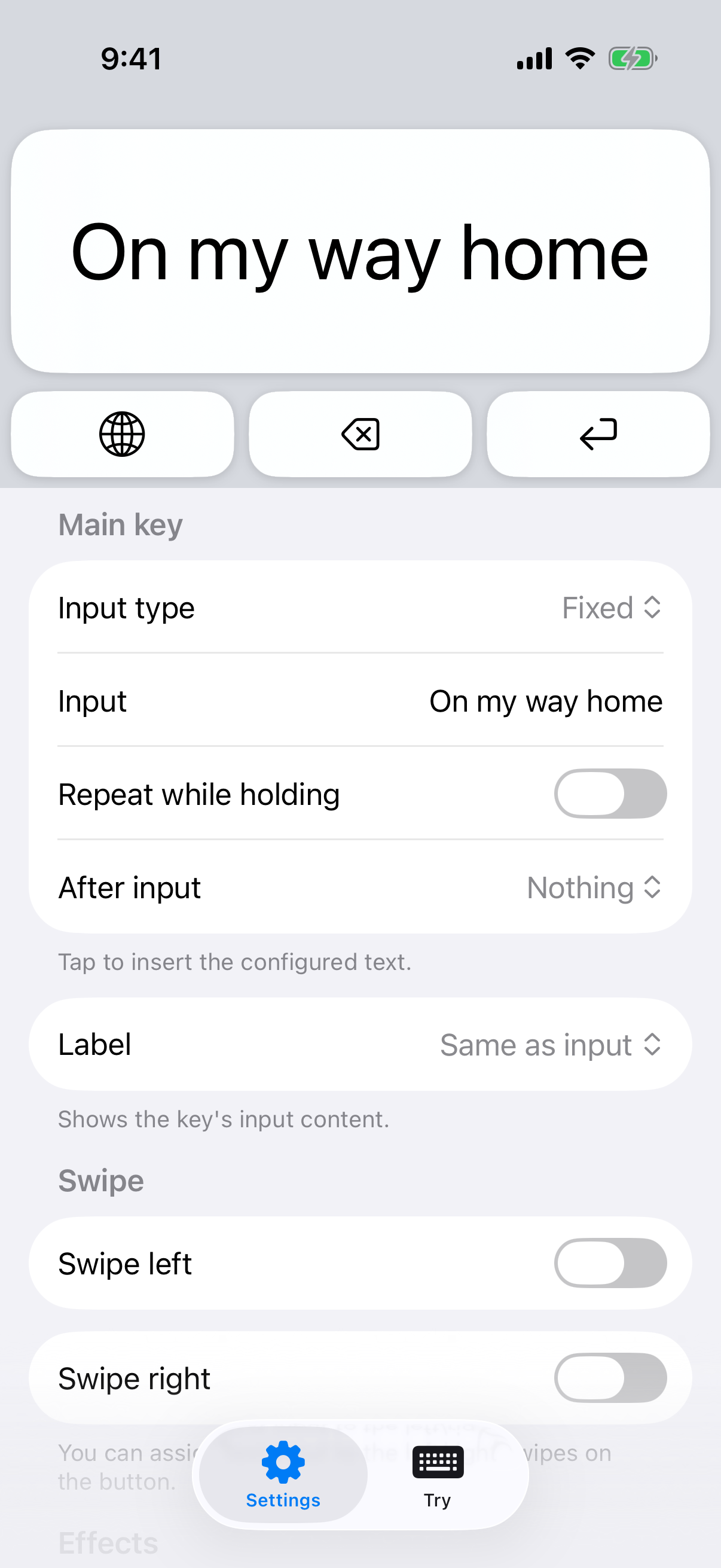
Input typeFixedOptionRepeat while holding
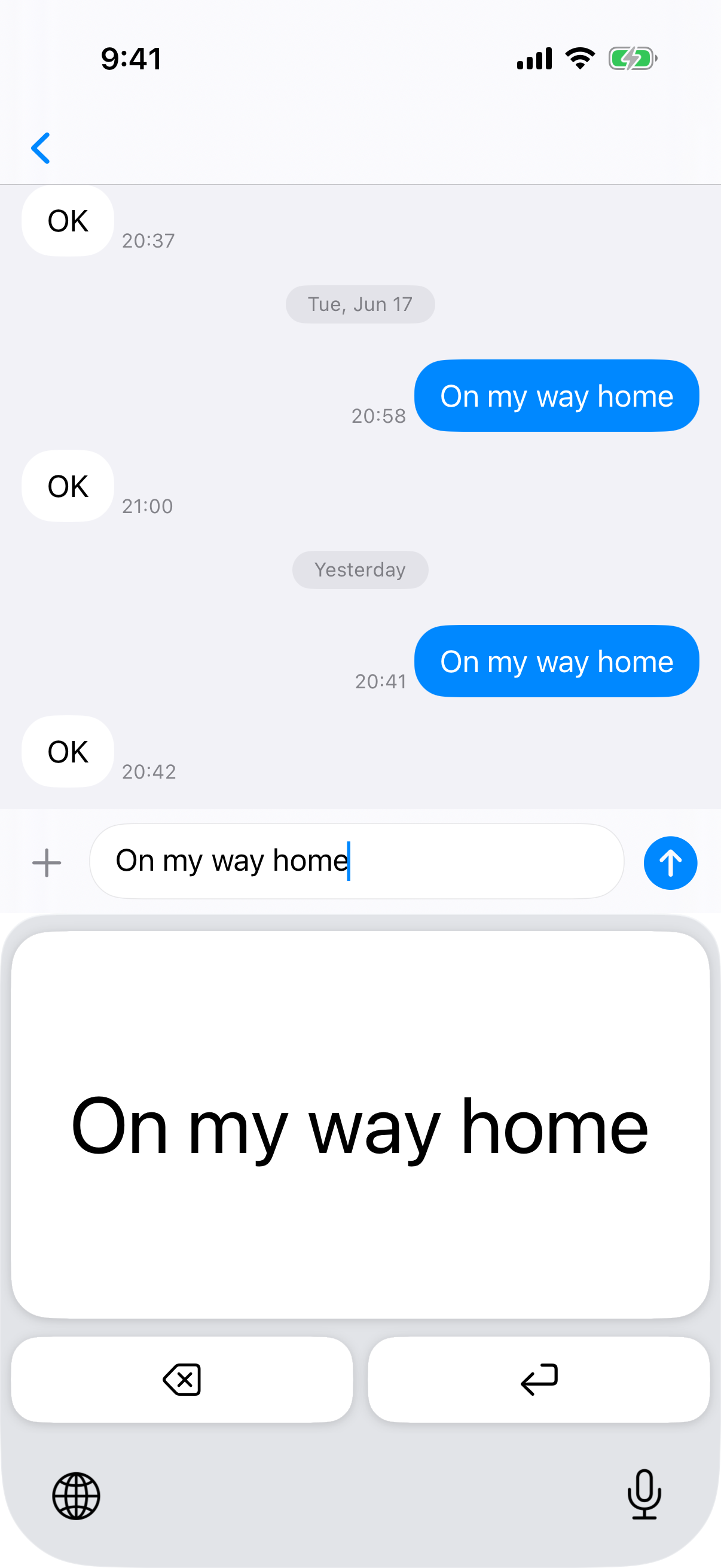
You can't press the wrong key.

Only that one key types your words, so there is nothing to aim at and nothing to choose
“OK”, “On my way home” — turn the words you type every day into the key itself
Holding, random and tiered input do things no text replacement can do
“haha”
Hold the key and the same word keeps piling up, and however you hit it, the only thing that goes in is the word you chose
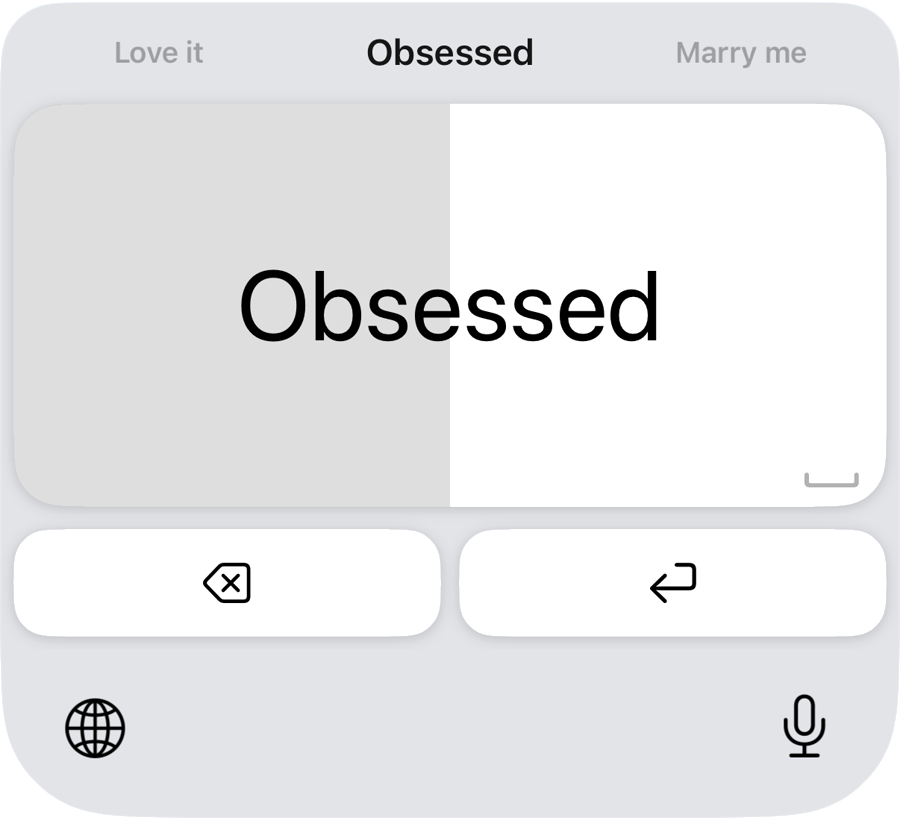
“Like → Love it → Obsessed → Marry me”
The longer you hold, the further the words go, and the preview above the key shows what is about to land
“Definitely / Yes / Maybe / Ask again later / No”
Every press picks one of your candidates at random, and what you get is a surprise until you hit it
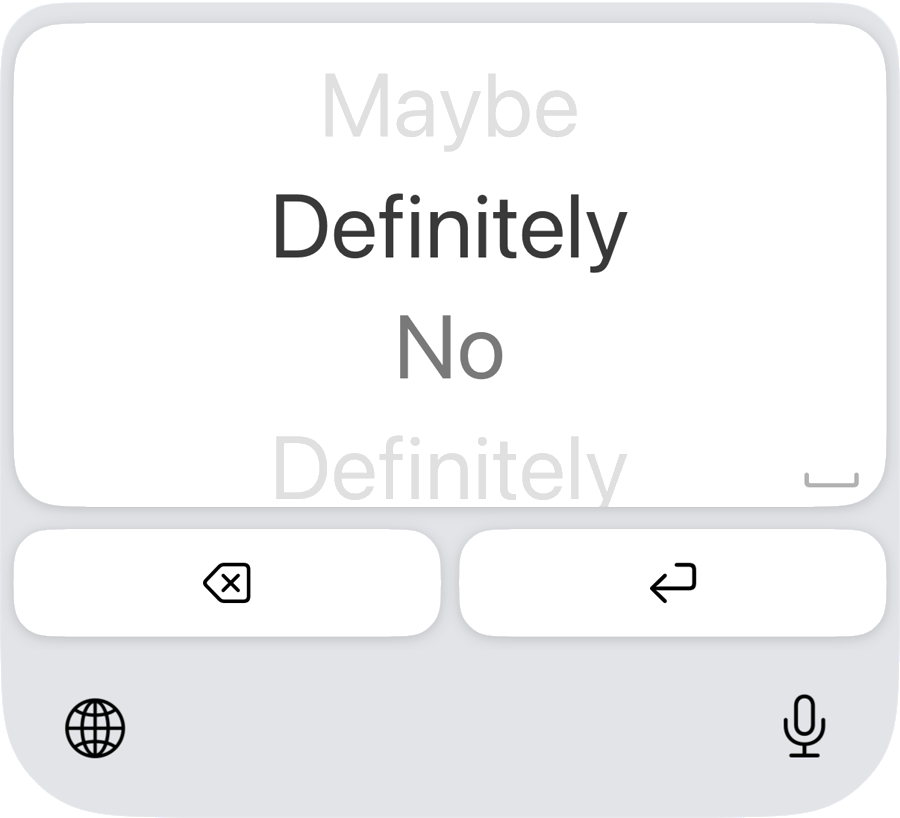
You can change the words in the app at any time
The face of the key and the text it types can be different
Swiping left and right can type too, separately from the tap
With gloves, with one hand, on a shaking train — a key this big is hard to miss
Check it by ear, then press it right where it is
It follows the Reduce Motion setting and holds the animation back
Everything it does today is free and will stay free. Advanced features added later will be sold as a one-time purchase, and there will be no subscription.
Full Access is an iOS setting that gives a keyboard extra permissions such as network access. BigTap keeps all of its settings inside the app and its keyboard never goes online, so every feature works with Full Access left off.
Yes. iOS lets you add several keyboards and switch between them at any time with the globe key. BigTapKeyboard has a globe key as well, so you can go straight back to the keyboard you normally use.
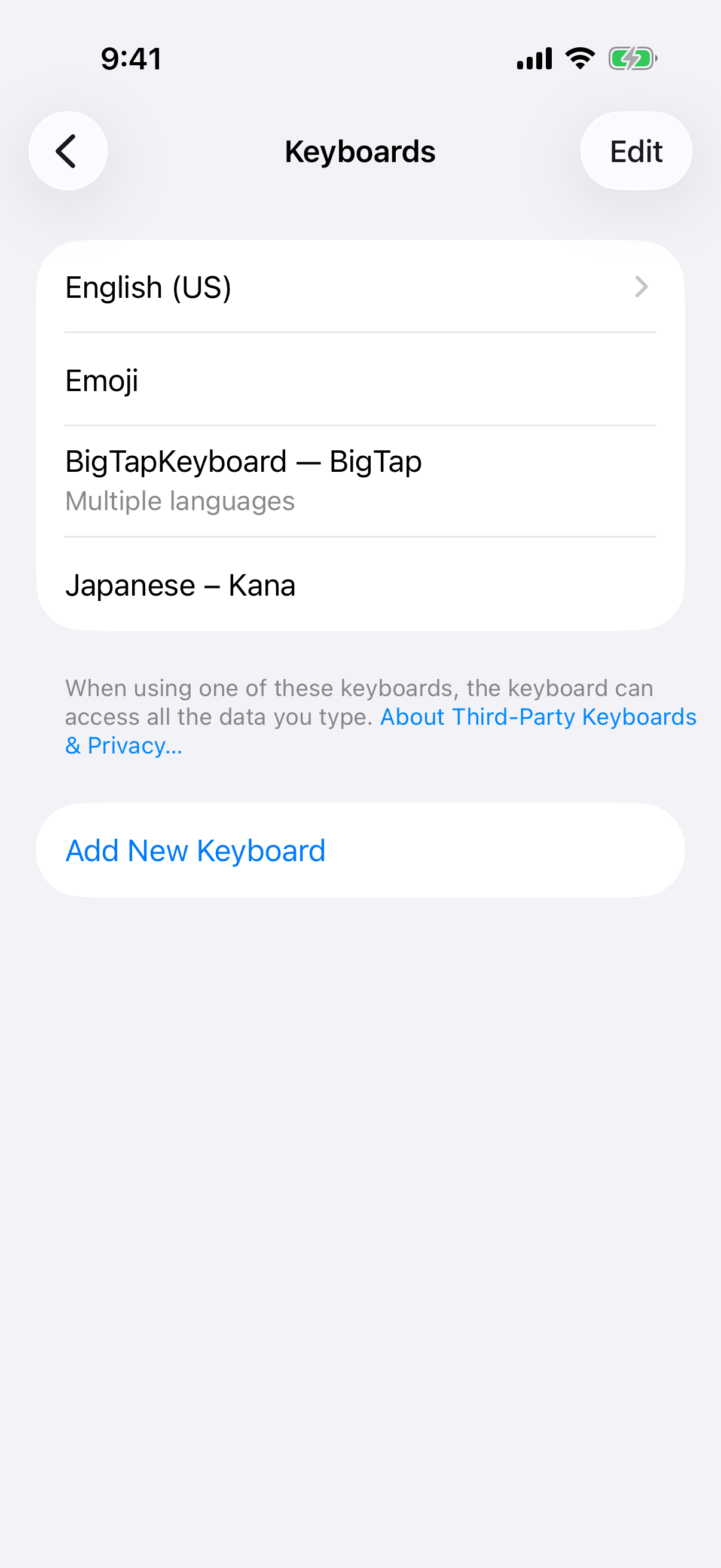
Open Settings → General → Keyboard → Keyboards and delete BigTapKeyboard. Deleting the app itself removes the keyboard along with it.
Predictive text makes you look at the screen and pick a small candidate, and the order of those candidates changes every time. With BigTap the whole screen is one key, so you can press it without looking and it never moves. It also does repeat, random and tiered input, which no dictionary can reproduce.
All you do is decide what you want to type, and you can change it later at any time
Add BigTapKeyboard from Settings → General → Keyboard
Do not turn on Full Access. Every feature works with it off.
While typing, switch to BigTapKeyboard with the globe key — then just press
BigTap
iPhone and iPad · Free
iOS 17+
Japanese / English / Simplified Chinese / Korean